Skip to content
Contact
Case Study · Business · Cloud

Time-Tracking App with Geo-Fencing for Multi-Location Teams

Cloud-based work time tracking for iOS & Android – location-independent, with optional geo-fencing and role-based permissions. Built for a client with distributed sites.

FlutterGoogle CloudGeo-FencingRollen & Rechte
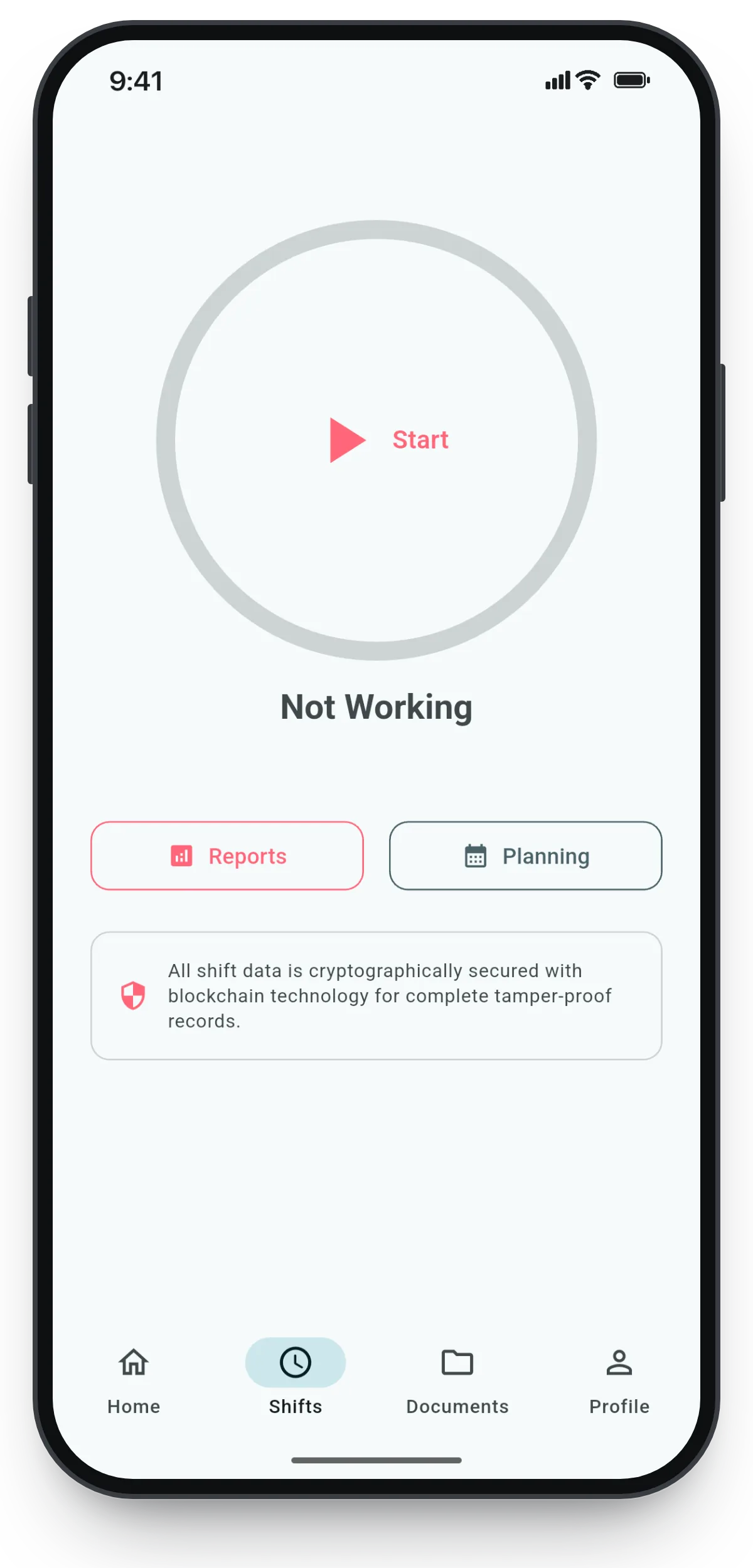
Zeiterfassungs-App von SB-Techworks: Schicht-Timer mit Start-Button, Reports und Schichtplanung
500,000+App downloads
24 hResponse time (Mon–Fri)
100 %You own the code
1Point of contact, start to launch

The Challenge

Time tracking looks like a solved problem: start, stop, total. It gets demanding the moment tracking leaves the office. Hours are booked where the work actually happens – across several distributed locations belonging to the same company. And every entry is not a throwaway log line but a record that still has to be explainable months later: who tracked time, when, and for which location. That answers the data model question before the first screen has been designed.

The second requirement was optional geofencing – technically a good deal more than a point-in-polygon test. A location fix never gives you a point; it gives you a point plus an accuracy radius. Out in the open that radius is small; between tall buildings, inside halls, in underground parking garages or reinforced-concrete environments it grows considerably. Anyone clocking in close to the edge of a zone will, under a naive check, produce both kinds of error: false rejections and false approvals. Then there are the platforms themselves – iOS and Android treat background location differently, each with its own region-monitoring APIs, tiered permission levels and power-saving mechanisms that deliberately throttle background work.

The third requirement was the role and permission model, and that is the real architectural core. The same app serves employees, managers and admins with different views, different slices of data and different permitted actions. The hard part is not showing and hiding buttons but the question behind it: which records may a given role read and write at all, when several distributed locations are involved and responsibilities overlap? An answer that exists only in the user interface is not an answer.

The Approach

The app is built as a single Flutter codebase for iOS and Android. The domain logic – entries, shifts, role logic, presentation – therefore exists exactly once, and both platforms receive the same change at the same time. What stays platform-specific is essentially whatever genuinely depends on the operating system: location permissions, background behavior, power-saving rules. Those parts sit behind a narrow interface, so the rest of the application never needs to know which platform it is running on.

Data and authentication live in Google Cloud. Identity comes from the authentication layer, and the role assignment belongs to the backend – not to the device and not to a variable set in the client. Server-side rules decide, per request, which entries, shifts and locations a role is allowed to read or modify. The role-dependent interface is therefore a projection of that same permission model rather than its enforcement: whatever the app does not show a role would not be retrievable server-side for that role anyway.

The real-time overview of shifts and entries comes out of the same data layer. Clients subscribe to updated state instead of polling at intervals – that keeps the view current without every open app generating requests by the minute. For a management role this means an overview that moves along with the work; for the architecture it means the permission rules have to hold for live subscriptions as well, not just for one-off reads.

Geofencing sits on top as an optional layer: locations are defined, and wherever the option is active an entry is tied to the matching location. Optional is a deliberate choice here, not a compromise – there are job sites where reliable positioning simply is not available. Having authentication, storage, real-time distribution and scaling come from managed cloud services is precisely what makes it feasible to build an application of this size and keep maintaining it without a large operations overhead: operational effort stays where it can be automated.

What Was Built

  • Location-independent time tracking
  • Optional geo-fencing per site
  • Roles & permissions (employees, managers, admins)
  • Real-time overview of shifts & entries
  • One codebase for iOS & Android

Technical Decisions

Flutter instead of two native apps

The options were two native apps in Swift and Kotlin, or one shared codebase. Since the functional core - time entry logic, roles, views - is identical on both platforms, the native route would have meant implementing that logic twice, testing it twice and maintaining it twice, with the familiar risk of the two platforms slowly drifting apart. The price is worth naming honestly: everything that sits deep in the operating system - location permissions, background behavior, power-saving rules - still has to be handled per platform, partly through plugins and partly through native code of our own. What you save is the duplicated domain logic, not the duplicated engagement with the platforms.

One app for all roles instead of separate apps

The alternative would have been a lean employee app plus a separate administration interface. Instead there is one app that shows different views and actions depending on the role: one installation, one release cycle, and a changed role takes effect immediately without anyone having to install a different app. The price is testing effort - every change has to be checked against every role - and design pressure, because administrative tasks have to fit on a phone screen without becoming unreadably dense.

Enforce permissions in the backend, not in the interface

The faster route is to check the role in the client and hide views. But that is not a security boundary, it is cosmetics: an app interface can be bypassed, a server-side rule cannot. Authorization therefore lives in the backend, and the app only ever requests what its role is allowed to retrieve. The price is lead time: the permission model has to be in place before the first views are built, every new view needs a matching rule, and the app has to treat denied requests as an expected state rather than an error.

Geofencing as an option, not a hard block

A strict model - clock in inside the zone or not at all - sounds clean and then runs into the physics of positioning. Accuracy varies with surroundings, satellite visibility and device, and it would block an entry precisely where that entry is most urgently needed. Geofencing is therefore switchable and ties entries to defined locations where that makes sense. The price: geofencing is strong evidence rather than watertight enforcement, and the configurability itself costs something - one more path through the code and one more setting in the administration.

Tech Stack

FlutterGoogle CloudGeo-FencingRollen & Rechte

Outcome

Delivered and in production use at the client: one app instead of separate silo tools, with role-based permissions and geo-fencing in day-to-day operation. Out of respect for the client relationship we do not disclose internal metrics here – the technical execution speaks for itself.

What This Means for Similar Projects

In projects of this kind the effort rarely sits where people expect it. The tracking itself – start, stop, add up – is the smallest part. What matters is the permission model and the edge cases: what happens when someone forgets to clock out, who is allowed to correct it afterwards, does the correction stay visible, how does the app behave when positioning is imprecise, and what should apply when there is no connectivity on site. These questions belong before the first line of interface code, because they shape the data model. Retrofitted later, every single one of them gets expensive.

When weighing a custom build against off-the-shelf software, the most useful question is not about feature lists but about structure: can the roles, locations and approval paths of the business be expressed in the standard product's model? If they can, standard software is almost always the cheaper choice, and saying so openly is part of the advice. If they cannot, processes end up permanently bent around a tool – and that is the point at which a custom application pays off, one that models role logic, location binding and reporting the way the work is actually done.

Frequently Asked Questions

How is geofencing different from simply reading GPS when someone clocks in?

A GPS reading at clock-in is a snapshot: a coordinate pair with an accuracy radius at the moment of the tap. Geofencing goes further and describes defined zones whose entry and exit the operating system can monitor - including while the app is not in the foreground. Both approaches need a tolerance model, because positioning accuracy varies a great deal with the surroundings and a borderline case would otherwise be decided at random.

How reliable is geofencing under real-world conditions?

Outdoors, with a clear view of the sky, the accuracy of ordinary satellite positioning is usually good enough to hit a bounded location cleanly. Inside halls, in underground parking garages, between tall buildings or in reinforced-concrete environments it degrades noticeably, and additional signals such as Wi-Fi or cell-based positioning only partly make up for it. A tolerant model with a defined fallback path is therefore more practical than a hard block - otherwise the app locks up at exactly the moment it is needed.

Does a time tracking app need permanent access to location?

That depends on when the check happens. If location is only evaluated at the moment of the entry, while the app is in the foreground, the while-in-use permission is enough. If entering or leaving a zone should also be detected in the background, iOS and Android require the broader background or always permission, which users have to grant explicitly and which the system reminds them about periodically. This decision should be made early, because it affects feature scope, battery behavior and user acceptance all at once.

Why one shared Flutter codebase instead of two native apps?

Because in a business app a large share of the code is domain logic: time entries, roles, lists, forms, reports. With Flutter that part exists once instead of twice, so features land on both platforms at the same time and behave the same way. Native development plays to its strengths when an app consists mainly of platform-level functionality; the OS-adjacent parts - here above all location and background behavior - have to be solved per platform in either case.

How do you prevent employees from seeing data belonging to other locations?

Through server-side authorization. Identity comes from the authentication layer, the role assignment lives in the backend, and the rules decide per request which records are served at all. The fact that the app shows different views per role is the visible consequence of that, not the protection mechanism - as the only safeguard, a check in the client would be worthless, because an interface can be bypassed while a server rule cannot.

When is custom time tracking worth it compared to off-the-shelf software?

As long as roles, locations and approval paths fit the model of a standard product, off-the-shelf software is usually the more economical choice. A custom solution makes sense when processes would have to be permanently adapted to the tool, when time tracking is only one building block in a larger operational workflow, or when requirements such as location-bound entries and a fine-grained permission model are only a half-fit in the standard product. It is worth settling that question before the project rather than after it.

Planning something similar?

SB-Techworks builds custom apps for iOS and Android – from MVP to scalable business app, straight from development. You get an honest assessment of feasibility and cost within 24 hours (Mon–Fri).

Request a free assessment  custom app development →