Skip to content
Contact
Case Study · Android · Native

Auto-Dialer: Working Through Call Lists Automatically (Android)

Native Android app that automatically dials whole call lists – hooked directly into the operating system's telephony. Built for a client's operational use.

Android NativeMethod ChannelsCSV-ImportFlutter
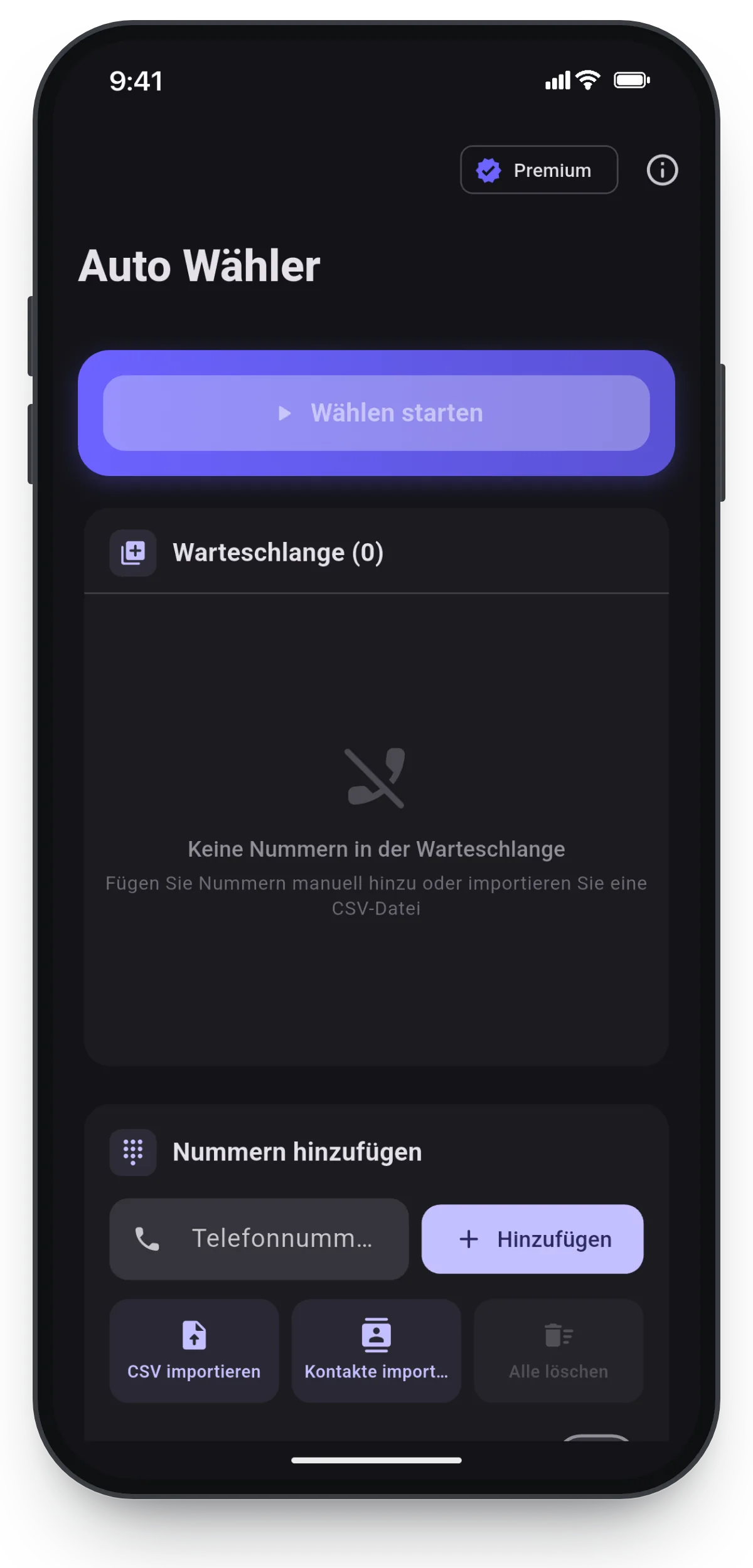
Auto-Dialer-App von SB-Techworks: Warteschlange, automatisches Wählen und CSV-Import
500,000+App downloads
24 hResponse time (Mon–Fri)
100 %You own the code
1Point of contact, start to launch

The Challenge

Anyone who works through call lists professionally – callbacks, scheduling, recurring contact rounds – spends a noticeable share of that time not on the conversation but on everything around it: locating the number, typing it in, dialing, finding the way back into the list after hanging up, remembering the position. It sounds like a straightforward automation problem. Technically it isn't, because Android was never built to let an app drive telephony from the outside.

The heart of the problem is the app lifecycle. The moment a call is placed, the operating system takes over: the system telephony moves to the foreground, the app that triggered the call drops into the background and can be paused or terminated there – depending on Android version, device manufacturer and battery-saving settings. Yet that is precisely the moment the actual automation has to happen: detect that the call has ended, mark the entry as processed, dial the next number. A queue that lives in the state of the user interface is therefore unusable.

Two practical hurdles come on top of that. First, permissions: placing a call directly, without a confirmation step, requires an explicitly granted runtime permission – without it there is no automation, only a pre-filled dialer screen. Second, data quality: numbers come either from the device's contact database or from CSV files exported by entirely different upstream systems, with varying delimiters, character encodings and notations for one and the same phone number.

The Approach

The app is deliberately split in two. Everything that is user interface – list management, import, queue progress, settings – runs in Flutter. Everything that touches telephony sits natively in Android. The seam between the two worlds is made of method channels, and it is designed to be asymmetric: commands travel from Dart into the native layer, state changes come back as a stream of events. That keeps the interface small and makes it the single place where both sides have to agree on anything.

The split is not arbitrary. In an app like this, the interface is the larger part and the part that gets iterated on most – exactly where Flutter plays to its strengths. The telephony part is small but sensitive: the relevant Android APIs have changed several times across versions, for instance the replacement of the classic PhoneStateListener with TelephonyCallback from Android 12 onward, and the rules around telephony permissions are tightened regularly. Changes like that are easier to absorb in a small, isolated Kotlin layer than spread across the whole app.

Processing itself is a state machine on the native side: idle, dialing, in call, post-call, next entry or pause. Advancing is driven not by timers but by the call states the system reports. In practice that is the decisive difference: a time-driven dialer falls out of step as soon as a call runs long, is answered late or ends up in voicemail. An event-driven one simply waits until the call state returns to idle.

The input side stays deliberately simple: numbers come from the device contacts or from a CSV file. Normalizing them into a single dialable format – leading zero, country code, spaces and punctuation – belongs in the import, not in a running series of calls. Anything that makes it into the queue should be dialable. And because automation that cannot be stopped is unusable in daily operation, the current entry stays visible at all times and processing can be interrupted at any point.

What Was Built

  • Automatic dialing of whole lists
  • CSV & contact import
  • Queue processing
  • Native Android telephony via method channels

Technical Decisions

Flutter interface, telephony native in Kotlin

The alternatives were a fully native Android app, or an attempt to cover everything with off-the-shelf plugins from the Flutter ecosystem. The middle path won because the interface portion is large while the telephony portion is small but deep. The price is an additional boundary inside the system: state exists on both sides, stack traces end at the channel boundary, and debugging spans two runtimes. That only pays off as long as the native surface is deliberately kept small.

Trigger system telephony instead of becoming the default phone app

Anyone who wants full control over a call on Android – a custom in-call interface, hanging up programmatically – has to take on the role of the default phone app. That means replacing the device's entire telephony interface, meeting additional store requirements and asking users to actively switch over: a disproportionate rebuild for a tool whose job is to work through lists. Instead, the app places calls through the system telephony and observes the call state. The price: the system interface is what's on screen during a call, and hanging up stays with the person.

Queue held natively and driven by events, not by UI state

The obvious choice would have been to keep the queue where it is displayed – in Dart. That fails because the app is in the background during every call and is not guaranteed to keep running there. Processing therefore lives natively, tied to call-state events. The price is state in two places that has to be kept in sync, extra effort to keep processing alive reliably under Android's background restrictions, and behavior that can only be tested credibly on real devices – emulators reproduce neither telephony nor manufacturer-specific battery-saving logic.

CSV import instead of a backend

The alternative would have been a server that manages and synchronizes lists centrally – with accounts, permissions and ongoing operational overhead. For this use case the lowest common denominator is enough: virtually every upstream system that numbers come from can export CSV, and the data stays on the device. The price is the missing central layer – no cross-device duplicate checking, no reconciliation – and an import that has to survive real-world files: semicolons instead of commas, encodings other than UTF-8, and spreadsheet software that treats a phone number as a number and drops the leading zero along the way.

Tech Stack

Android NativeMethod ChannelsCSV-ImportFlutter

Outcome

Built for a client's operational use and used there in practice: the app controls native Android telephony and works through call lists on its own. The client's deployment details are treated confidentially.

What This Means for Similar Projects

One lesson generalizes above all others: in apps that automate operating-system functions, the effort rarely sits in the visible feature but in the process lifecycle and the permission model. Whether an app can technically do something is usually answered quickly. The real questions are what happens when the system pushes the app into the background, which permission has to be actively granted, and which of those rules will be handled differently in the next OS release. Unlike pure interface applications, apps like this carry a permanent maintenance share that belongs in the planning from the start.

The architecture question generalizes just as well: cross-platform or native is sensibly decided per capability, not per project. A cross-platform interface with a thin native layer exactly where system access is required is often the cheaper answer than either extreme – provided the native surface is deliberately bounded and documented. And for internal tools, scope decides feasibility. A dialer that works through a list is a manageable undertaking; a system that also manages campaigns, call outcomes and third-party systems is a different project altogether.

Frequently Asked Questions

What's the difference between an auto-dialer and a predictive dialer?

An auto-dialer, or power dialer, works through the numbers in a list one after another on a single device – the person making the calls is already there before the connection is established. A predictive dialer, by contrast, dials several lines in parallel and statistically distributes the connections that succeed across a pool of agents, which requires telephony infrastructure of its own. This project is deliberately the first case: a tool for one device and one person, not a call center platform.

Can an Android app place calls automatically?

Yes – through the system telephony, provided the runtime permission for direct dialing has been explicitly granted. Without that permission, all an app can do is open the dialer screen pre-filled, which rules out automatic processing. What is not freely available is the in-call interface and hanging up programmatically: on current Android versions, both are essentially reserved for the default phone app. Automation here therefore means dialing, observing the call state, and advancing once the call has ended.

Why Flutter with a native layer instead of fully native?

Because the two parts behave differently. The interface is the larger part, changes more often and benefits from fast iteration – which suits Flutter well. Access to the system telephony is small but platform-specific and version-dependent, so it belongs in native code. Method channels connect the two, but they cost an additional interface that has to be maintained and tested.

How do the numbers get into an app like this?

Through the device contacts or via CSV import. For lists that originate in other systems, CSV is the more robust route in practice, because almost every upstream system can export that format. The typical pitfalls are not in the parsing but in the data: semicolons instead of commas as delimiters, encodings other than UTF-8, and phone numbers that spreadsheet software has interpreted as numbers and stripped of their leading zero. That is why normalization into a single dialable format belongs in the import.

Does processing continue while a call is in progress?

During a call the app is inevitably in the background, because the system telephony occupies the foreground. Processing therefore has to be built to survive that: native, and advanced by call-state events rather than by timers. Android deliberately restricts background work, which makes this part decisive for reliability. Manufacturer-specific battery-saving mechanisms are the most common source of failure here, and they can only be verified on real devices.

What is a dialer like this not intended for?

It isn't built for that. The use case is working through existing lists of your own – callbacks, scheduling, recurring contact rounds – on a single device. Who may be called and when is not something a dialer decides; that responsibility sits with the business using it.

Planning something similar?

SB-Techworks builds custom apps for iOS and Android – from MVP to scalable business app, straight from development. You get an honest assessment of feasibility and cost within 24 hours (Mon–Fri).

Request a free assessment  custom app development →